3D Printer Power Consumption & Backup Guide
Short answer
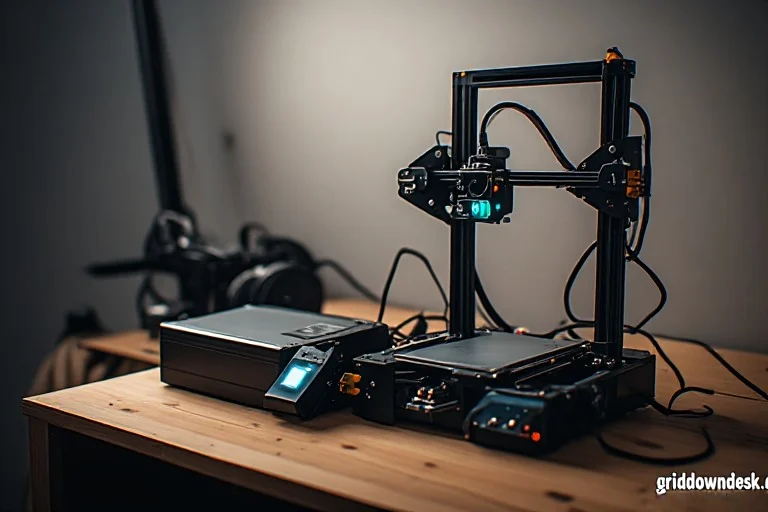
A typical desktop FDM 3D printer draws between 150W and 300W during the initial heatup phase, but settles to an average of 50W to 100W during steady-state printing. A compact 300Wh to 500Wh portable power station or a 1000VA pure sine wave UPS can easily keep a printer running for 3 to 8 hours during a blackout, depending on the filament type and heated bed usage, preventing catastrophic mid-print failures.
The "Heated Bed" reality
The biggest misconception about 3D printer power draw is assuming it constantly pulls its maximum rated wattage. A printer with a 200W heated bed and a 40W hotend does not draw 240W continuously.
Power consumption is highly dynamic:
- Initial Heatup (First 5-10 minutes): The heated bed and hotend draw maximum power simultaneously to reach target temperatures. A typical printer will spike to 150W–300W.
- Steady-State Printing: Once the target temperatures are reached, the printer's PID controller cycles the power on and off to maintain heat. The heated bed may only draw power 30% to 50% of the time (duty cycle), while the hotend draws power in short 1-2 second bursts.
Real-world power consumption by filament
The type of filament you print with drastically changes your power requirements, primarily due to the heated bed temperature.
| Filament Type | Bed Temp | Avg. Steady-State Draw | Peak Heatup Draw |
|---|---|---|---|
| PLA | 50°C – 60°C | 40W – 70W | 150W – 200W |
| PETG | 70°C – 80°C | 60W – 90W | 180W – 250W |
| ABS / ASA | 90°C – 110°C | 90W – 130W | 200W – 300W |
| TPU (Flexible) | 50°C – 60°C | 40W – 70W | 150W – 200W |
Note: Printers with enclosed chambers (like the Bambu Lab X1 or Prusa XL) retain heat better, resulting in a lower duty cycle and reduced average power draw compared to open-frame printers.
Calculating print rescue runtime
To estimate how long your backup will keep a print alive, we use the standard runtime formula. For the foundational math, see our guide on home backup power calculator sizing.
Runtime (hours) = (Battery Capacity in Wh × 0.85) ÷ Average Steady-State Watts
Note: We use 0.85 for inverter efficiency. If your printer supports direct 12V/24V DC input (like some Voron or custom builds), use 0.95 efficiency.
Example Calculation (Printing PLA on a standard 200x200mm bed):
- You have a 500Wh portable power station.
- Average steady-state draw for PLA: 60W.
- Usable energy: 500 × 0.85 = 425 Wh.
- Runtime: 425 Wh ÷ 60W = ~7 hours.
This is more than enough time to finish a standard 4-hour benchy or a medium-sized functional part, or at least reach a safe pause point in the slicer software.
Best practices for blackout print survival
- Use a Pure Sine Wave UPS: 3D printer power supplies (especially Mean Well units) and mainboards with sensitive stepper motor drivers require clean power. A modified sine wave can cause layer shifting, erratic extruder behavior, or mainboard damage.
- The "First Layer" Trick: If you know an outage is coming, print the first few layers, then manually turn off the heated bed in your slicer or on the printer's screen (if printing PLA on a textured PEI sheet, it often sticks well enough without continuous bed heat). This instantly drops your power draw by 50-70%, massively extending battery runtime.
- Disable unnecessary peripherals: Turn off the printer's LCD screen brightness, disable the part cooling fan if printing ABS (to prevent warping), and unplug any external webcams or Raspberry Pis running OctoPrint/Moonraker unless absolutely necessary.
- Enable "Power Loss Recovery": Ensure this feature is turned on in your printer's firmware or slicer settings. It periodically writes the print coordinates to the SD card, allowing the printer to resume exactly where it left off when power is restored.
Sizing your backup solution
- For short outages (1-2 hours): A standard 600VA – 1000VA pure sine wave line-interactive UPS is perfect. It provides instant switchover and enough juice to finish small prints or safely park the print head.
- For long outages (4-8+ hours): A 500Wh to 1000Wh LiFePO4 portable power station is ideal. It provides ample capacity and can be recharged via solar if the outage extends into multiple days. For long-term battery care, refer to our guide on how to maintain and store your portable power station.
FAQ
Can I plug my 3D printer into a standard surge protector instead of a UPS? A surge protector will protect the mainboard from voltage spikes, but it will do nothing to prevent a failed print during a total blackout. Only a battery-backed UPS or power station can save an active print.
Why does my UPS beep loudly and shut down when the printer heats up? The initial heatup surge (150W-300W) exceeded the continuous or surge wattage rating of a small, under-sized UPS (e.g., a 300W/500VA unit). You must size the UPS wattage to handle the peak heatup draw, not just the average printing draw.
Does an enclosed printer use less power? Yes. An enclosure traps the heat radiating from the hotend and the heated bed. This means the PID controller has to activate the heaters less frequently to maintain the target temperature, lowering the overall duty cycle and average wattage draw.
Can I use a power station to run a resin (SLA) 3D printer? Yes, and it is highly efficient. Resin printers only power the LCD screen, a small UV LED array, and a tiny stepper motor. Their total power draw is typically only 15W to 30W, meaning even a small 300Wh power station can run them for over 10 hours.