NAS Blackout Protection: UPS Sizing Guide
Short answer
To protect a Network Attached Storage (NAS) device during a blackout, you need a pure sine wave line-interactive UPS with a continuous wattage rating of 300W to 600W, depending on the number of hard drives. Crucially, the UPS must have a USB data port to connect to the NAS, enabling the operating system (e.g., Synology DSM, QNAP QTS) to trigger a safe, automated shutdown when the battery reaches 20%, preventing RAID corruption and mechanical head crashes.
The data corruption reality
Unlike a desktop PC, where a sudden power loss might just mean losing an unsaved document, a NAS is constantly reading and writing data across multiple spinning hard drives.
When power is cut abruptly:
- Mechanical Damage: The read/write heads may not have time to park safely, risking physical scratches on the disk platters.
- RAID Degradation: If a write operation is interrupted, the parity data becomes inconsistent. Upon reboot, the NAS will force a lengthy and resource-intensive RAID resynchronization, during which the array is highly vulnerable to a second drive failure.
- File System Corruption: Btrfs or ext4 file systems can become corrupted, requiring manual repair via SSH or, in worst-case scenarios, resulting in total data loss.
A UPS is not an optional accessory for a NAS; it is a mandatory insurance policy for your data.
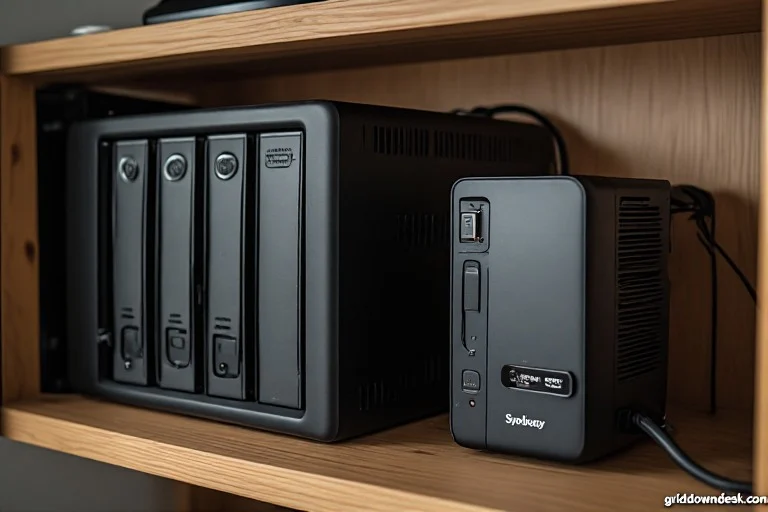
Real-world NAS power consumption
NAS power draw scales almost linearly with the number of spinning hard drives. SSD-only NAS setups draw significantly less power but still require protection against file system corruption.
Typical power consumption (including NAS base unit + drives):
- 2-Bay NAS (with 2x HDD): 15W (idle) to 30W (active access).
- 4-Bay NAS (with 4x HDD): 25W (idle) to 50W (active access).
- 6-Bay+ NAS (with 6x HDD): 40W (idle) to 80W+ (active access, especially during RAID rebuilds).
- Startup Surge: Spinning up multiple drives simultaneously can cause a brief 2-3 second spike of 100W to 150W.
Note: If your NAS is connected to a Gigabit network switch and an external USB backup drive, add 10W–15W to the total load.
Calculating your NAS UPS requirements
You do not need hours of runtime for a NAS. The sole purpose of the UPS is to provide a 5 to 10-minute window for the system to safely close all file operations and power down. For the foundational math, see our guide on home backup power calculator sizing.
Sizing Formula: Minimum UPS Continuous Wattage = (Max NAS Load) × 1.5 (for safety margin and surge handling).
Example Calculation (4-Bay NAS):
- Max active load: 50W.
- Required continuous capacity: 50W × 1.5 = 75W.
A small, entry-level 600VA / 360W or 850VA / 500W pure sine wave UPS is more than sufficient. It will easily handle the spin-up surge and provide 15 to 30 minutes of runtime, which is ample time for the automated shutdown sequence.
Step-by-step auto-shutdown configuration
Buying the UPS is only half the battle. You must configure the NAS to communicate with it.
Step 1: Physical Connection. Plug the NAS and your primary network switch into the "Battery Backup" outlets of the UPS. Connect the UPS to the NAS using the included USB Type-A to Type-B (or Type-C) data cable.
Step 2: Enable UPS Support in NAS OS.
- Synology DSM: Go to Control Panel > Hardware & Power > UPS. Check "Enable UPS support". Select the connected USB device.
- QNAP QTS: Go to Control Panel > System > External Device > UPS. Check "Enable UPS support".
Step 3: Configure Safe Shutdown Triggers. Set the NAS to "Safely shut down the NAS when the UPS power supply is low." A best practice is to trigger the shutdown when the UPS battery reaches 20% or after 5 minutes on battery power. This ensures the NAS shuts down before the UPS itself dies, guaranteeing a clean power-off.
Best practices for NAS power resilience
- Pure Sine Wave is Mandatory: NAS power supplies, like desktop PSUs, use Active PFC. A modified sine wave UPS can cause the power supply to buzz, overheat, or fail to recognize the input voltage, defeating the purpose of the backup.
- Do not daisy-chain: Plug the NAS directly into the UPS. Do not plug a surge protector into the UPS and then the NAS into the surge protector, as this can introduce unnecessary resistance and interfere with the UPS's ability to sense the load.
- Test the shutdown sequence: Once configured, simulate an outage by unplugging the UPS from the wall. Observe the NAS interface: it should register the "AC failure," and after your set time/percentage, gracefully initiate the shutdown sequence.
- Maintain the UPS battery: The UPS is a single point of failure. If its battery is dead, your NAS is unprotected. Check the UPS health status in the NAS interface every 3 months. For comprehensive battery care instructions, see our guide on how to maintain and store your portable power station (the same lead-acid or lithium maintenance principles apply).
FAQ
Can I use a portable power station instead of a traditional UPS for my NAS? Yes, if it has a pure sine wave inverter and a USB data port that the NAS can recognize as a UPS (many modern stations support this via NUT – Network UPS Tools). However, a traditional line-interactive UPS is cheaper, more reliable for this specific 5-minute task, and has a faster switchover time.
What if my NAS is in the basement, but my desk is upstairs? The USB cable for UPS communication is typically limited to 3-5 meters. If the distance is greater, you can use a powered USB extension cable, or configure a secondary device (like a Raspberry Pi or a desktop PC on the same network) to act as a "UPS monitoring client" that sends the shutdown command to the NAS over the network.
Do SSD-only NAS setups still need a UPS? Yes. While SSDs have no moving parts to crash, sudden power loss can still corrupt the file system, damage the SSD controller's mapping tables, or interrupt critical write caches, leading to data loss or a bricked drive.
How long does a NAS take to shut down safely? Typically 1 to 3 minutes. The system must stop all services (Docker, virtual machines, file sharing), flush write caches to the disks, and unmount the volumes cleanly before cutting power.