Starlink Blackout Power: Sizing & Runtime Guide
Short answer
A standard Starlink setup (Gen 2 or Gen 3) consumes between 50W and 75W during normal operation, with peak surges up to 100W. To run Starlink reliably during a blackout, you need a portable power station with at least 150W of continuous pure sine wave output (or a dedicated 12V/24V DC output for Gen 3). A 500Wh power station will provide approximately 5 to 7 hours of uninterrupted satellite internet, depending on weather conditions and active data usage.
The Starlink power reality
Starlink is a game-changer for blackout internet, but its power consumption is often underestimated. Unlike a simple cellular modem, a Starlink system consists of a motorized, phased-array antenna (the dish) that constantly adjusts its angle, and a router that processes high-frequency signals.
Furthermore, power draw is highly dynamic. In cold weather, the dish activates its internal "Snow Melt" feature, which can temporarily spike power consumption to 100W–150W to keep the surface clear of ice and precipitation. Failing to account for this peak load will result in a power station overload and an unexpected dropout.
Real-world power consumption by generation
Starlink hardware has evolved, and so has its efficiency. Always verify which generation you own before sizing your backup.
Typical power consumption:
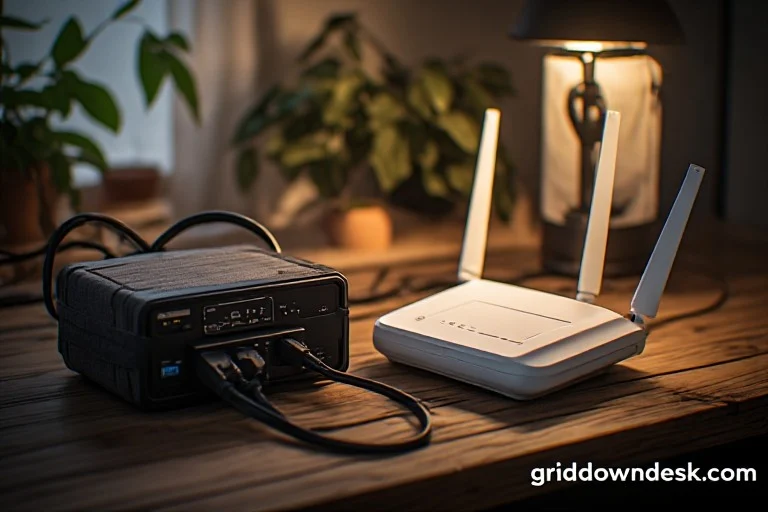
- Starlink Gen 2 (Rectangular Dish): 50W – 75W average. Peak (Snow Melt/Startup): 90W – 110W. Requires 110V/220V AC (needs an inverter).
- Starlink Gen 3 (Standard Dish): 40W – 60W average. Peak (Snow Melt/Startup): 70W – 90W. Supports direct 12V/24V DC input (highly efficient).
- Starlink Mini: 20W – 40W average. Peak: 50W. Can be powered directly via USB-C Power Delivery (PD), making it the ultimate low-power backup.
Note: Heavy rain or thick cloud cover forces the dish to work harder to maintain a signal lock, which can increase average power draw by 10% to 15%.
Calculating your Starlink runtime
To estimate how long your internet will stay online, we use the standard runtime formula. For the foundational math, see our guide on home backup power calculator sizing.
Runtime (hours) = (Battery Capacity in Wh × Efficiency) ÷ Average Wattage
Note: For Gen 2, use 0.85 efficiency (AC inverter loss). For Gen 3 using direct DC, use 0.95 efficiency.
Example Calculation (Starlink Gen 3 via DC):
- You have a 500Wh portable power station.
- Average load during a winter storm (with occasional snow melt): 65W.
- Usable energy (DC): 500 Wh × 0.95 = 475 Wh.
- Runtime: 475 Wh ÷ 65W = ~7.3 hours.
If you were to run the older Gen 2 through an AC inverter at 75W, the runtime would drop to: (500 × 0.85) ÷ 75W = ~5.6 hours.
Best practices for Starlink blackout survival
- Use DC Power for Gen 3: If you have the Gen 3 Standard dish, purchase the official Starlink 12V/24V DC power adapter or a compatible third-party cable. Plugging this directly into your power station's DC port bypasses the AC inverter, saving 10-15% of your battery capacity.
- Disable "Snow Melt" if safe: If you are experiencing a blackout but it is not snowing or icing, go into the Starlink app and manually disable the "Preheat" or "Snow Melt" feature. This can instantly drop your power draw by 20W to 30W, significantly extending your runtime.
- Prioritize the dish and router: Do not plug your entire home network into the same small power station. Dedicate the battery solely to the Starlink hardware and perhaps one essential device (like a laptop or a single Wi-Fi access point).
- Position the power station indoors: While the dish is outside, the router and power station must be kept in a dry, temperature-controlled environment. Cold temperatures reduce lithium battery performance, shortening your effective runtime.
Maintaining your off-grid readiness
A backup system is only as reliable as its weakest link. Portable power stations self-discharge over time. To ensure your Starlink setup is ready for the next storm, check the charge level every 3 months and top it up to 60-70%. For comprehensive battery care instructions, see our guide on how to maintain and store your portable power station.
FAQ
Can I power Starlink with a standard computer UPS? For short outages (1-2 hours), yes, a 1000VA pure sine wave UPS can handle the 75W load. However, standard UPS batteries are small and will deplete quickly. A portable power station is far superior for extended blackout runtime.
Will a portable power station recharge Starlink via solar? Yes, if the power station supports solar input. A 200W solar panel producing 120W in real-world conditions can nearly offset the 65W-75W draw of a Starlink system, creating a sustainable, indefinite loop during daylight hours.
Can I use a modified sine wave inverter for Starlink Gen 2? It is highly discouraged. While some users report success, the Starlink power supply is sensitive. A modified sine wave can cause the internal power brick to overheat, buzz, or shut down unpredictably under peak load. Always use pure sine wave.
Why does my power station shut off when Starlink starts up? The initial boot sequence and motor calibration of the dish can cause a brief power spike. If your power station's continuous or surge rating is too low, it will trigger overload protection. Ensure your station is rated for at least 150W continuous output.