Desktop PC Blackout Power Guide
Short answer
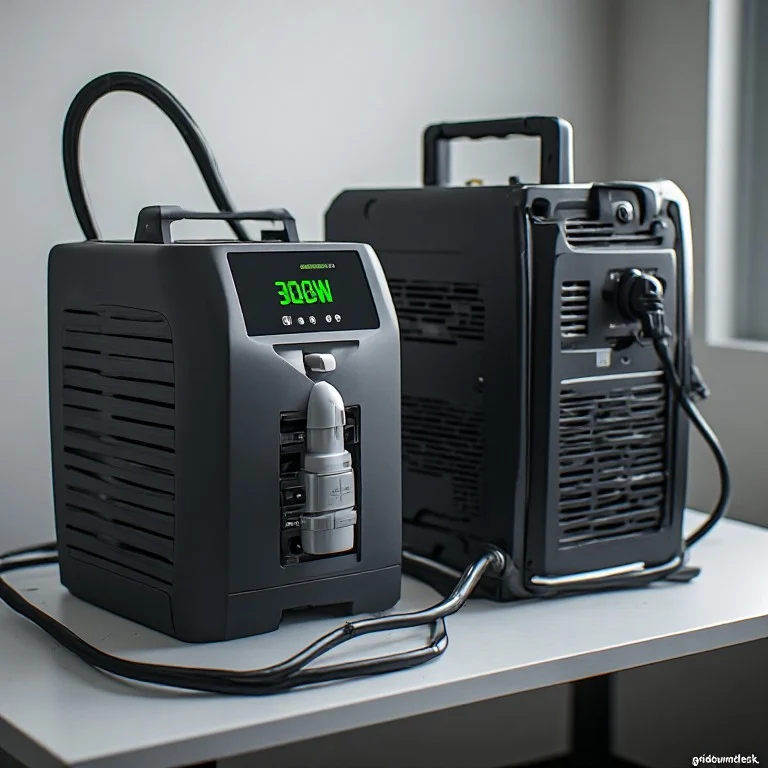
To safely power a desktop computer during a blackout, you need a pure sine wave Uninterruptible Power Supply (UPS) with a continuous wattage rating at least 20% higher than your PC's maximum power draw. For a typical office desktop (PC + monitor), a 600W to 800W line-interactive UPS will provide 10 to 15 minutes of runtime, which is exactly enough time to save your work and shut down the system gracefully.
Why desktop PCs are vulnerable to outages
Unlike laptops, desktop computers have no internal battery. A sudden loss of power causes immediate data loss, file system corruption on your SSD or HDD, and can physically damage hardware components due to abrupt voltage drops.
Furthermore, most modern desktop power supplies (PSUs) use Active Power Factor Correction (Active PFC). These high-efficiency PSUs are highly sensitive to the shape of the AC waveform. Feeding them a cheap "modified sine wave" from a budget backup device can cause the PSU to buzz loudly, overheat, or shut down unexpectedly, even when the backup battery is fully charged.
Calculating your desktop power load
To size your UPS correctly, you must calculate the maximum potential power draw of your entire setup. Do not guess; use the component specifications. For a detailed guide on measuring exact wattage, see our article on how to calculate your home office power needs.
Step 1: Calculate component TDP (Thermal Design Power). Add the TDP of your CPU and GPU (if applicable). For a standard office PC, this might be a 65W CPU and integrated graphics (0W additional). Total: 65W.
Step 2: Add peripherals. Include the monitor (30W), motherboard/RAM/SSD baseline (40W), and speakers/USB devices (15W). Total baseline: ~150W.
Step 3: Apply a safety margin. Multiply the total by 1.20 to 1.25 to account for PSU inefficiency (typically 85-90% efficient at full load) and minor power spikes.
- 150W × 1.25 = 187.5W minimum continuous UPS wattage requirement.
Therefore, a UPS rated for 400W or 500W continuous output is more than sufficient for a standard office desktop, providing a comfortable safety buffer.
The runtime reality check
Many users buy a UPS expecting to continue working for hours during a blackout. This is a misconception. As explained in our guide on UPS runtime explained: VA vs watt-hours, runtime is dictated by battery capacity (Wh), not output wattage (W).
A typical 1000VA / 600W UPS contains one or two 12V 7-9Ah lead-acid batteries, totaling about 85-170Wh of raw capacity. After accounting for inverter efficiency and safe discharge limits, you get roughly 100Wh of usable energy.
Runtime at 150W load: 100Wh ÷ 150W = ~40 minutes. Runtime at 300W load (e.g., light video editing): 100Wh ÷ 300W = ~20 minutes.
This is exactly enough time to save your progress, close applications, and shut down Windows gracefully. If you need to work for 2+ hours on a desktop during an outage, you must upgrade to a portable power station with at least 1000Wh capacity and a 1000W+ pure sine wave inverter.
Essential features for a desktop UPS
When shopping, ensure the unit has these three features:
- Pure Sine Wave Output: Mandatory for Active PFC power supplies to prevent shutdowns and long-term damage.
- Line-Interactive with AVR: Automatic Voltage Regulation corrects minor brownouts and overvoltages without switching to battery power, saving your battery cycles for actual blackouts.
- USB Data Port: Allows you to connect the UPS to your PC via USB. You can then configure Windows (Control Panel > Power Options) to trigger an automatic, safe shutdown if the battery drops below 20% and you are away from the keyboard.
Step-by-step setup for maximum protection
- Plug critical devices into "Battery + Surge" outlets: Your PC tower and monitor must go here.
- Plug non-critical devices into "Surge Only" outlets: Desk lamps, phone chargers, or printers should go here. They do not need battery backup, and plugging them in wastes precious battery capacity.
- Test the switchover: Once set up, save your work and physically unplug the UPS from the wall. Your PC and monitor should remain on without a flicker. If the PC reboots, your UPS may have a slow switchover time or insufficient wattage headroom.
FAQ
Can I plug a laser printer into my UPS? No. The fuser in a laser printer draws a massive surge of power (500W-1000W+) when heating up. This will instantly overload and trip most desktop UPS units. Always plug printers into a wall outlet or the "Surge Only" strip.
How do I know if my UPS battery is failing? Most modern UPS units have a self-test function (usually a physical button). Press it to simulate a brief outage. If the unit beeps continuously, fails the test, or shuts down immediately, the internal lead-acid battery is degraded and must be replaced (typically every 3-4 years).
Will a UPS protect my PC from a direct lightning strike? No consumer UPS can withstand a direct lightning strike. A UPS provides excellent protection against everyday grid fluctuations, brownouts, and nearby induced surges. For direct strikes, you need a whole-house surge protector installed at your main electrical panel.
Can I use a portable power station instead of a UPS for my desktop? Yes, if it has a pure sine wave inverter and sufficient wattage (e.g., 1000W+). However, be aware that most power stations have a 20-30 millisecond switchover time. While many modern Active PFC power supplies can tolerate this, some will still reboot. Test your specific combination before relying on it.