Safe Grounding Guide for Power Stations & UPS
Short answer
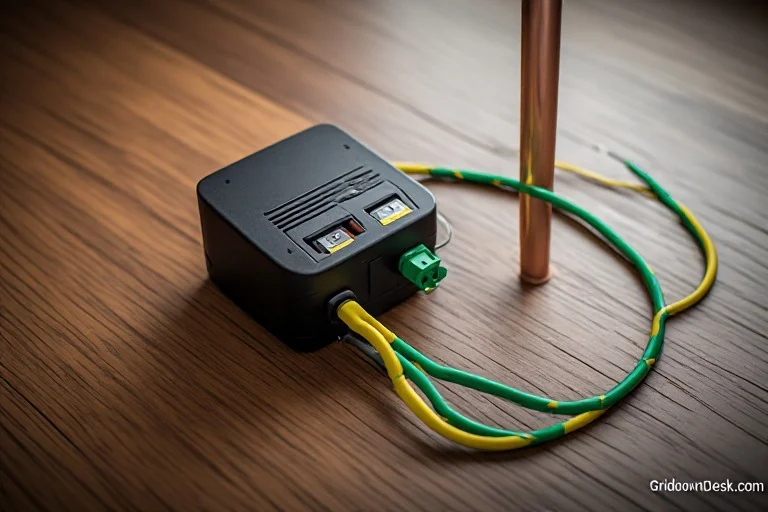
Properly grounding your portable power station or UPS is essential for safety and equipment compatibility. Without a ground reference, inverters create a "floating neutral," which can cause a mild tingling sensation on metal laptop chassis, trigger GFCI/RCD outlets to trip falsely, and prevent phase-dependent gas boilers from detecting a flame. The safest method is to connect the station's dedicated grounding terminal to your home's existing grounding system or a dedicated copper grounding rod using a proper green-yellow wire.
The "Floating Neutral" reality
When you draw power from the grid, the Neutral wire is bonded to the Earth ground at the transformer and your main electrical panel. This provides a safe, zero-voltage reference point.
However, when a portable power station or UPS switches to battery power, its internal inverter generates AC power independently. In many models, the output Neutral is not connected to the chassis ground. This creates a "floating neutral." The voltage between the floating Neutral and the actual Earth ground can fluctuate, leading to:
- Tingling sensations: Touching the metal case of a laptop plugged into the ungrounded station.
- GFCI/RCD nuisance tripping: Ground Fault Circuit Interrupters detect the voltage imbalance between Live and Neutral and cut power, even though there is no actual danger.
- Boiler lockouts: As detailed in our guide on gas boiler phase dependency, flame rectification sensors require a strict Live/Neutral/Ground relationship to function.
Real-world grounding methods
Never attempt to "fake" a ground by connecting the Neutral and Ground pins together with a cheater plug. This is extremely dangerous and violates all electrical codes. Use one of these safe, approved methods:
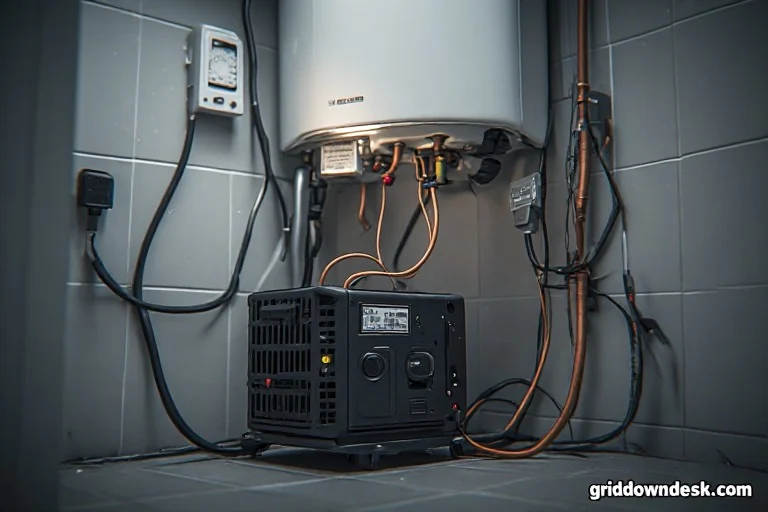
1. Connection to Home Grounding System (Best for Indoor Use) If your home has a properly installed grounding system, you can connect the power station to it. Some advanced power stations and UPS units have a dedicated grounding screw or terminal. Use a standard green-yellow grounding wire to connect this terminal to a known good ground (e.g., the ground pin of a properly wired wall outlet, verified with an outlet tester).
2. Dedicated Grounding Rod (Best for Outdoor/Camping Use) For off-grid or outdoor setups, drive an 8-foot copper-clad grounding rod into moist earth. Connect the power station's grounding terminal to the rod using a heavy-gauge (at least 10 AWG) green wire and a secure brass clamp. This provides a true earth reference for the inverter.
3. Neutral-Ground Bonding Plug (For Specific Generators/Inverters) Some inverters and generators require a "bootleg ground" plug (a specialized plug that internally bonds Neutral and Ground only at the source) to satisfy GFCI requirements. Warning: Only use this if explicitly recommended by the manufacturer for your specific model, as improper bonding can create severe shock hazards.
Step-by-step grounding verification
Before relying on your backup setup, verify that your grounding is effective:
- Use an Outlet Tester: Plug a 3-light outlet tester into the power station's AC output. It should indicate "Correct Wiring." If it shows "Open Ground," the station is not grounded.
- Multimeter Test: Set a multimeter to AC Voltage. Measure between the Live and Ground pins of the outlet (should read ~120V/230V). Then measure between Neutral and Ground. A properly grounded system will read close to 0V (typically under 2V). A floating neutral will show a significant, fluctuating voltage.
Best practices for electrical safety
- Never bypass safety features: If a GFCI outlet keeps tripping, do not replace it with a standard outlet. Find and fix the grounding issue or the actual fault.
- Keep connections tight: A loose grounding wire is as dangerous as no ground at all. Ensure all clamps and terminal screws are tightened securely.
- Consult a professional: If you are unsure about your home's grounding integrity, hire a licensed electrician to perform a ground resistance test. For comprehensive safety protocols when connecting backup power to your home, refer to our safe home transfer switch guide.
Maintaining your safety systems
Grounding connections can corrode over time, especially in humid environments or outdoors. Inspect the grounding wire, clamps, and terminals every 6 months. Clean any oxidation with a wire brush and ensure the connection remains tight. For general equipment care, see our guide on how to maintain and store your portable power station.
FAQ
Do all portable power stations have a grounding terminal? No. Many compact, consumer-grade stations rely on the grounding pin of the AC outlet being connected to a grounded wall socket (via passthrough charging) to establish a ground reference. Check your user manual for a dedicated grounding screw or specific instructions.
Why does my laptop tingle when running on battery power but not on grid power? When on grid power, the laptop's ground is tied to the building's earth ground. When on an ungrounded power station, the laptop's chassis can float to half the AC voltage due to internal EMI filter capacitors, causing a harmless but annoying tingling sensation. Proper grounding of the station resolves this.
Can I ground the power station to a water pipe? While metal water pipes were historically used for grounding, modern plumbing often includes plastic (PVC/PEX) sections, which break the electrical continuity. It is not a reliable or code-compliant grounding method. Use a dedicated grounding rod or the home's main ground bus.
Will grounding my power station drain the battery faster? No. A proper safety ground carries zero current under normal operating conditions. It only provides a safe path for electricity in the event of a fault, having no impact on battery runtime or efficiency.