Smart Home Blackout Power: Hub & Sensor Backup Guide
Short answer
To maintain smart home functionality during a blackout, you must back up the central hub (Zigbee/Z-Wave/Wi-Fi), the internet router, and any critical smart cameras. These devices draw a combined total of only 15W to 30W. A compact 300Wh to 500Wh pure sine wave UPS can keep this core automation network alive for 10 to 25 hours, ensuring that local scenes, security alerts, and smart lighting continue to function even when the grid is down.
The "Battery-Powered Sensor" illusion
A common misconception is that because smart door/window sensors and thermostats have internal batteries, the smart home will survive a blackout. This is only half true.
While the end-point sensors may last for months on a coin cell, the central hub (the brain that processes their signals and executes automations) and the Wi-Fi router (which provides cloud connectivity or local network routing) are plugged into the wall. When the power fails, the hub dies instantly. Your battery-powered motion sensor will still detect you, but the command to turn on the lights will vanish into the void. Backing up the central nervous system is the absolute priority.
Real-world smart home power consumption
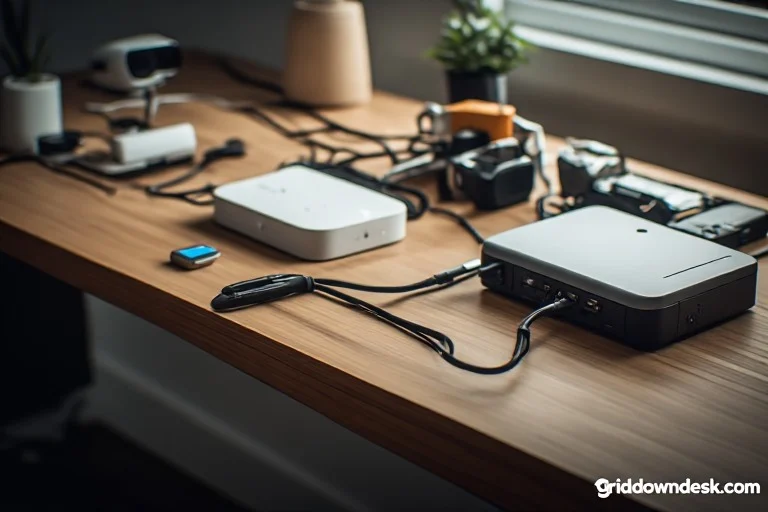
Smart home infrastructure is designed for low idle power draw, making it highly compatible with compact battery backup systems.
Typical power consumption:
- Smart Home Hub (Zigbee/Z-Wave): 2W – 5W continuous.
- Wi-Fi Router (Mid-range): 8W – 12W continuous.
- Indoor Smart Security Camera: 5W – 8W continuous (plus a 10W startup surge).
- Smart Speaker (Voice Assistant): 2W – 4W continuous.
- Total Core Load: 15W to 30W for a fully functional local automation network.
Note: Smart displays (like Echo Show or Nest Hub) draw significantly more (10W–15W) due to their screens. During a blackout, it is wise to unplug them to conserve energy.
Calculating your automation runtime
Because the load is low and continuous, we can easily calculate extended runtime. For the foundational math, see our guide on home backup power calculator sizing.
Runtime (hours) = (Usable Battery Wh) ÷ Total Load (W)
Example Calculation:
- Total core load: Hub (4W) + Router (10W) + 1 Camera (6W) = 20W.
- Power source: 500Wh pure sine wave UPS.
- Usable energy (at 85% inverter efficiency): 500 Wh × 0.85 = 425 Wh.
- Runtime: 425 Wh ÷ 20W = ~21.2 hours.
This provides nearly a full day of uninterrupted smart home functionality, security monitoring, and internet access from a single, compact, and affordable UPS.
Best practices for blackout smart home design
- Prioritize Local Execution: Configure your automations to run "locally" on the hub rather than relying on cloud servers. If the internet goes down (even if your router is powered), local Zigbee/Z-Wave rules (e.g., "motion turns on light") will still execute instantly.
- Group Critical Devices on a Smart Plug: Plug your hub, router, and camera into a single smart plug, and plug that smart plug into the UPS. This allows you to remotely monitor the health of your backup circuit and reboot the entire network with a single command if a device freezes.
- Use PoE for Cameras: If possible, use Power over Ethernet (PoE) cameras. They can be powered directly by a PoE switch that is backed up by the UPS, eliminating the need for individual AC adapters and improving reliability.
- Disable Non-Essential Radios: If your hub has both Zigbee and Z-Wave, but you only use Zigbee devices, disable the Z-Wave radio in the settings to save 1W-2W of continuous draw.
Maintaining your automation readiness
Smart home hubs are often tucked behind TVs or in closets, making them prone to overheating and dust buildup, which can increase power draw and cause throttling. Ensure the UPS and hub have adequate ventilation. Test the backup circuit quarterly by unplugging it from the wall to verify that all devices reconnect properly. For comprehensive battery care instructions, see our guide on how to maintain and store your portable power station (the same principles apply to UPS batteries).
FAQ
Can I use a portable power station instead of a UPS for my smart home? Yes, a small LiFePO4 power station is an excellent choice. It offers longer lifespan and higher capacity than traditional lead-acid UPS units. Just ensure it has a pure sine wave inverter to protect the sensitive switching power supplies inside the hub and router.
Will my smart lights turn on automatically when the power returns? Most smart bulbs (like Philips Hue or Zigbee bulbs) have a "Power-On Behavior" setting. You can configure them to automatically turn on (or return to their previous state) when power is restored, which is highly useful for security and convenience after an outage.
What if my smart home relies entirely on Wi-Fi (no hub)? Wi-Fi-only devices (like many Tuya/Smart Life plugs) are more vulnerable. They rely heavily on the cloud. If your ISP goes down, they become useless, even if the router is powered by a UPS. This is why investing in a local Zigbee or Z-Wave hub is highly recommended for blackout resilience.
Does the UPS keep my smart home connected to the internet if the ISP node is down? No. The UPS only keeps your equipment alive. If your provider's neighborhood node loses power and its backup fails, your router will have no WAN connection. However, your local smart home automations (Zigbee/Z-Wave) will continue to function perfectly.