Gaming PC UPS Sizing: Real Power Draw Guide
Short answer
To safely protect a modern gaming PC, you need a pure sine wave UPS with a continuous wattage rating of at least 1000W to 1200W, and a surge capacity of 1500W+. A typical mid-to-high-end gaming setup draws 400W to 700W under load, but modern GPUs can exhibit transient power spikes that briefly exceed their rated TDP by 50%. A 1000VA/700W UPS is insufficient; aim for a 1500VA/1000W unit minimum to provide a 10-minute window for safe shutdown.
The GPU transient spike reality
The biggest mistake gamers make when sizing a UPS is adding up the Thermal Design Power (TDP) of their CPU and GPU and stopping there.
Modern graphics cards (especially Nvidia RTX 30 and 40 series) are known for "transient power spikes." These are micro-second bursts of power draw that can reach 1.5x to 2x the card's rated TDP. For example, an RTX 4070 rated at 200W TDP can briefly spike to 300W or more. If your UPS has a continuous rating of 600W and a tight surge limit, this micro-second spike will trigger the UPS overload protection, instantly cutting power to your PC and causing a hard crash.
Real-world power consumption breakdown
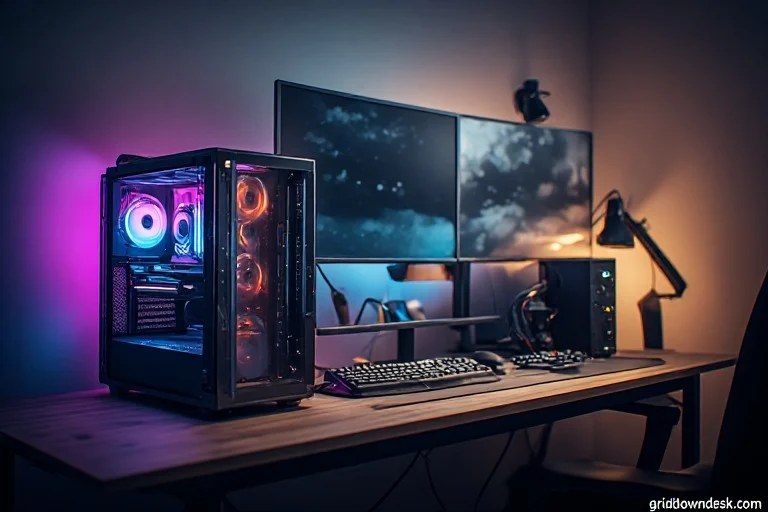
Based on hardware specifications and typical gaming loads, here is a realistic breakdown of a mid-to-high-end gaming setup:
| Component | Typical Gaming Load | Notes |
|---|---|---|
| GPU (e.g., RTX 4070 / 4080) | 200W – 320W | Subject to transient spikes up to 450W+. |
| CPU (e.g., Ryzen 7 / Core i7) | 65W – 120W | Spikes during heavy physics/crowd calculations. |
| Motherboard, RAM, NVMe SSD | 50W – 70W | Baseline system overhead. |
| Case Fans & AIO Liquid Cooler | 30W – 50W | Pump and fans run continuously. |
| Dual Monitors (27" 1440p) | 60W – 80W | 30W-40W per display. |
| Peripherals (Keyboard, Mouse, Headset) | 10W – 15W | Negligible, but must be accounted for. |
| Total Continuous Load | 415W – 655W | Requires 800W+ continuous UPS capacity. |
For a detailed guide on measuring your exact device wattage with a kill-a-watt meter, see our article on how to calculate your home office power needs.
Calculating the gaming runtime
As established in our guide on UPS runtime explained: VA vs watt-hours, runtime is dictated by battery capacity (Wh), not the output wattage (W) rating.
A typical 1500VA / 1000W line-interactive UPS contains two 12V 9Ah lead-acid batteries.
- Raw capacity: 12V × 9Ah × 2 = 216 Wh.
- Usable energy (after 70% safe discharge limit and 85% inverter efficiency): ~128 Wh.
Runtime at 500W gaming load: 128 Wh ÷ 500W = ~15 minutes. Runtime at 200W idle load: 128 Wh ÷ 200W = ~38 minutes.
This math proves a critical point: a UPS for a gaming PC is not for continuing to play during a blackout. Its sole purpose is to provide a 10 to 15-minute grace period to save your game, close applications, and shut down Windows gracefully to prevent SSD corruption.
Why Pure Sine Wave is mandatory for Gaming PCs
Most quality gaming PC power supplies (PSUs) use Active Power Factor Correction (Active PFC) to achieve 80 Plus Gold or Platinum efficiency.
Active PFC circuits are highly sensitive to the shape of the AC waveform. If you feed them a "modified" or "simulated" sine wave from a budget UPS, the PSU will often interpret the choppy voltage as a fault. This results in loud buzzing from the PSU, reduced efficiency, or an immediate, unexplained shutdown even when the UPS battery is at 100%. For a deeper technical breakdown, refer to our guide on pure sine wave vs modified sine wave.
Best practices for gaming UPS setup
- Oversize the wattage, not just the VA: Ignore the "1500VA" marketing number. Look at the "Watts" (W) rating. Ensure it is at least 1.5x your PC's maximum expected draw to absorb GPU spikes.
- Use the correct outlets: Plug the PC tower and monitors into the "Battery Backup + Surge Protection" outlets. Plug printers, desk lamps, or phone chargers into the "Surge Protection Only" outlets to conserve battery capacity.
- Enable USB shutdown: Connect the UPS to your PC via the included USB cable. Configure Windows (Control Panel > Power Options > Choose what the power buttons do) to initiate a safe shutdown when the battery reaches 20%.
- Test the switchover: While in a game or heavy application, safely unplug the UPS from the wall. The PC should not flicker or reboot. If it does, the UPS switchover time is too slow, or the wattage headroom is insufficient.
FAQ
Can I use a portable power station instead of a traditional UPS for my gaming PC? Yes, if it has a pure sine wave inverter and at least 1000W continuous output. However, most power stations have a 20-30 millisecond switchover time. While many modern Active PFC PSUs can tolerate this, some will still reboot. Test your specific combination before relying on it.
How often should I replace the UPS battery for a gaming setup? Gaming UPS units cycle their batteries more frequently due to AVR usage and occasional outages. Plan to replace the internal lead-acid batteries every 3 to 4 years. For general battery maintenance principles, see our guide on how to maintain and store your portable power station.
Will a UPS protect my expensive GPU from a lightning strike? A UPS provides excellent protection against everyday grid fluctuations, brownouts, and minor surges. However, no consumer UPS can withstand a direct lightning strike. For that, you need a whole-house surge protector installed at your main electrical panel.
Can I plug my gaming console (PS5/Xbox) into a UPS? Yes, and it is highly recommended. Consoles draw 150W-200W under load and are just as vulnerable to sudden power loss and file system corruption as a PC. A small 600W UPS is perfect for this.