Standing Desk Power & UPS Backup Guide
Short answer
A standard dual-motor adjustable standing desk draws 150W to 250W while moving, with a startup surge up to 400W. To protect your desk from power surges and prevent the loss of your height memory presets during a blackout, you need a compact 600VA to 1000VA pure sine wave UPS. This provides enough overhead to safely adjust the desk 1 to 2 times during a brief outage and shields the sensitive control box from voltage spikes.
The standing desk power reality
Many users plug their expensive standing desks directly into a basic power strip or the wall, assuming the low idle power draw means they are safe. This is a risky oversight for two reasons:
- Memory Reset Frustration: When power is abruptly cut, many desk controllers lose their saved height presets. Upon restoring power, the desk often requires a full recalibration routine (lowering to the absolute minimum height and rising back up) before it can be used normally.
- Motor Controller Vulnerability: The control box that manages the dual motors contains sensitive microprocessors and relays. Grid fluctuations, brownouts, or micro-outages can degrade these components over time, leading to erratic movement or complete failure.
Real-world power consumption breakdown
Standing desks are highly efficient when stationary, but moving them requires a burst of energy.
Typical power consumption:
- Idle State (Desk stationary): 1W – 3W (just enough to keep the LED display and memory chip active).
- Single-Motor Desk (Moving): 100W – 150W running, ~250W startup surge.
- Dual-Motor Desk (Moving): 150W – 250W running, ~400W – 500W startup surge.
- Under Heavy Load (e.g., dual monitors, PC, accessories on desk): Add 20% to the running wattage, as the motors work harder to lift the extra weight.
Note: The startup surge lasts only 1-2 seconds as the motors overcome static friction and the weight of the desktop, but it is the critical number for sizing your backup.
Calculating your desk protection needs
You do not need a massive power station to protect a standing desk. A standard line-interactive UPS is the most cost-effective and reliable solution. For a detailed guide on measuring exact device wattage, see our article on how to calculate your home office power needs.
Sizing Formula: Minimum UPS Continuous Wattage = (Desk Max Running Watts) × 1.5 (for safety margin).
Example Calculation:
- Your dual-motor desk draws a maximum of 250W while moving.
- Required continuous capacity: 250W × 1.5 = 375W.
A standard 600VA / 400W or 1000VA / 600W pure sine wave UPS is more than sufficient. It will easily handle the 400W surge and provide 5 to 15 minutes of battery runtime, which is plenty of time to adjust the desk to a comfortable working height if the power goes out, or to safely shut down the PC connected to it.
Best practices for standing desk power setup
- Use a Pure Sine Wave UPS: As detailed in our guide on pure sine wave vs modified sine wave, the motors and control electronics in modern standing desks perform best with clean power. Modified sine wave can cause the motors to hum loudly or the control board to malfunction.
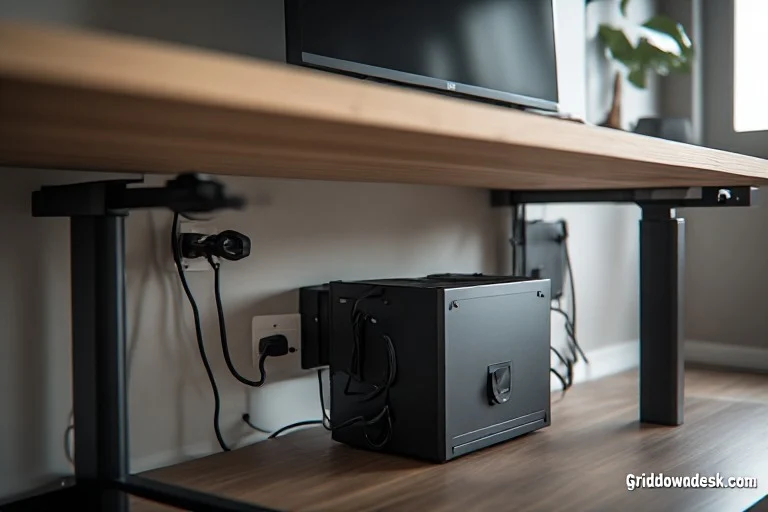
- Group your critical outlets: Plug the standing desk control box AND your primary monitor into the "Battery Backup + Surge Protection" outlets of the UPS. Plug your PC tower into the same UPS. This ensures that if the power flickers, your entire immediate workflow stays alive, and the desk doesn't reset.
- Avoid daisy-chaining: Never plug the standing desk into an extension cord that is already plugged into the UPS, especially if the cord is thin. The motor surge can cause voltage drop. Plug the desk directly into the UPS or use a heavy-duty 14-gauge cord.
- Test the memory retention: Once set up, simulate a brief outage by unplugging the UPS from the wall while the desk is at your preferred height. Plug it back in after 10 seconds. If the display immediately shows your correct height without requiring a reset, your setup is perfectly protected.
FAQ
Can I use a portable power station instead of a UPS for my standing desk? Yes, but it is overkill and less convenient. A power station will work perfectly fine, but its larger size makes it awkward to place under a desk, and its AC switchover time (20-30ms) might be slightly slower than a dedicated UPS (2-8ms), though most modern desk controllers can tolerate this.
Will the UPS keep my desk moving if the power is out for an hour? No. A standard 600VA UPS only has about 80-100Wh of usable battery capacity. It is designed to provide surge protection and brief runtime (enough for 1-2 adjustments), not to continuously raise and lower the desk for hours.
Why does my desk make a clicking sound when the power flickers? That is the relay inside the desk's control box or the UPS clicking as it detects a voltage anomaly and switches to battery power (or attempts to stabilize the voltage). This is exactly what the equipment is designed to do to protect the motors.
Do I need to recalibrate my desk after a long power outage? If the desk was plugged into a working UPS, no. The UPS maintains power to the control box's memory. If the UPS battery also died, you will likely need to perform the manufacturer's reset procedure (usually holding the "down" button until the desk hits the lowest point and displays "RST" or "00").